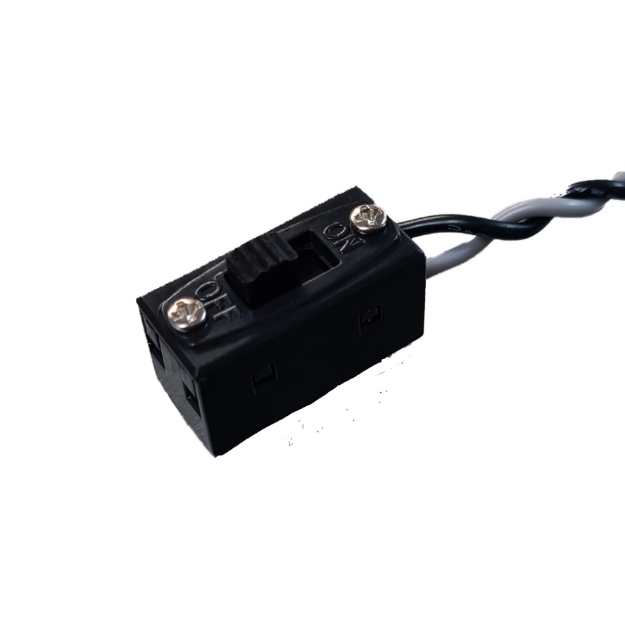
MICRO SWITCH (for Smart Bus RRS, Smart Switch, Multi Switch, Multi Reg and Smooth Flite)

Contact UsCustomer Reviews

MICRO SWITCH (for Smart Bus RRS, Smart Switch, Multi Switch, Multi Reg and Smooth Flite)

Our Price:

$8.95


Quantity (12)

Availability 12 in stock
Weight 0.20 lbs
SKU BRC-924
Manufacturer Booma RC

MICRO SWITCH (for Smart Bus RRS, Smart Switch, Multi Switch, Multi Reg and Smooth Flite)

The AR Micro switch is a ultra light weight fail safe switch designed for use with The Advanced radio Smart range of products. Compatible with Smooth Flite, Smart Buss RRS and ARXL, Smart Switch, Q-Switch, Multi Switch and Reg Switch.

PLEASE NOTE: Not compatible with Spektrum, Smart Fly or Smart Bus Extreme.


: *
: *
: *
 

Servo Safety Clips

Description:
10 pack of servo safety clips. Made to retain your servo wires to keep them from slipping off during flight.

A must have to to ensure your servo connectors stay securely connected.

Packs of 10:

EX-clip

$4.95

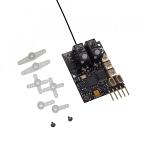
Lemon RX DSMP (DSMX/DSM2 COMPATIBLE) MICROBRICK WITH 2 ON-BOARD SERVOS and 2.54MM HEADER PINS

Lemon RX DSMP (DSMX/DSM2 COMPATIBLE) MICROBRICK WITH 2.54MM HEADER PINS


Description:

Lemon Rx DSMX Compatible 6-Channel Receiver + Lemon DSMX Compatible Satellite


Type: DSMX Compatible Full Range Receiver
Number of Channel: 6
Modulation: DSMX Compatible (Also DSM2 backward Compatible)
Band: 2.4 GHz
Dimension: 25(L) x 18(W) x 11(H)  mm
Weight: 4.5 grams + 2.5 grams
Voltage Range: 3.45 - 8.4 V


Highlight
- FailSafe for all channels via press of a button
- DSMX Satellite port


Understanding the receiver


Setup Instruction

Binding

  1. Plug bind plug to the receiver.
  2. Provide power to the unit. LED flashes quickly.
  3. Enable bind mode in transmitter and ensure distance separation of 2 meters from receiver. Solid LED light means binding is completed.
  4. Remove bind plug.

Setting Failsafe

  1. Start by binding the receiver to the transmitter in the normal way and proceed as follows to set failsafe
  2. Ensure that transmitter and receiver are turned on.
  3. Insert bind plug into the receiver (Note: to set failsafe, bind plug is applied only when the receiver is turned on).
  4. Set transmitter controls to the desired failsafe positions.
  5. Press the side pushbutton to memorize failsafe settings.
  6. Observe that the green light at the end of the receiver turns on to indicate failsafe is set. (Repeat step 4 will cause the LED to turn off which means failsafe is disabled).
  7. Remove bind plug.
  8. Disconnect the power for at least 2 seconds and then reconnect the power again. Test failsafe by turning off the transmitter.


LM-0070H

$48.00

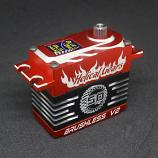
BLS-H41B V2 HELICAL GEAR, HV-DIGITAL, HIGH TORQUE, HIGH SPEED, BRUSHLESS +Servo Arm (48.9kg/679.2oz, 0.08 sec at 8.4V)

BLS-H41B V2 HELICAL GEAR, HV-DIGITAL, HIGH TORQUE, HIGH SPEED, BRUSHLESS +Servo Arm (48.9kg/679.2oz, 0.08 sec at 8.4V)

BBR-BLS-H41B

$99.99