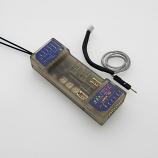
Lemon RX DSMP 10-CH TELEMETRY STABILIZER & VOLTAGE PROBE (DSMX/DSM2 COMPATIBLE)
Description:
Lemon Rx DSMX Compatible 6-Channel Receiver + Lemon DSMX Compatible Satellite
| Type: | DSMX Compatible Full Range Receiver |
| Number of Channel: | 6 |
| Modulation: | DSMX Compatible (Also DSM2 backward Compatible) |
| Band: | 2.4 GHz |
| Dimension: | 25(L) x 18(W) x 11(H) mm |
| Weight: | 4.5 grams + 2.5 grams |
| Voltage Range: | 3.45 - 8.4 V |
Highlight
- FailSafe for all channels via press of a button
- DSMX Satellite port
Understanding the receiver

Setup Instruction
Binding
- Plug bind plug to the receiver.
- Provide power to the unit. LED flashes quickly.
- Enable bind mode in transmitter and ensure distance separation of 2 meters from receiver. Solid LED light means binding is completed.
- Remove bind plug.
Setting Failsafe
- Start by binding the receiver to the transmitter in the normal way and proceed as follows to set failsafe
- Ensure that transmitter and receiver are turned on.
- Insert bind plug into the receiver (Note: to set failsafe, bind plug is applied only when the receiver is turned on).
- Set transmitter controls to the desired failsafe positions.
- Press the side pushbutton to memorize failsafe settings.
- Observe that the green light at the end of the receiver turns on to indicate failsafe is set. (Repeat step 4 will cause the LED to turn off which means failsafe is disabled).
- Remove bind plug.
- Disconnect the power for at least 2 seconds and then reconnect the power again. Test failsafe by turning off the transmitter.